AngularJS SEO & Prerendering: Technical Guide
Fix AngularJS SEO issues with prerendering, crawlable routes, metadata, status codes, internal links, testing, and migration planning
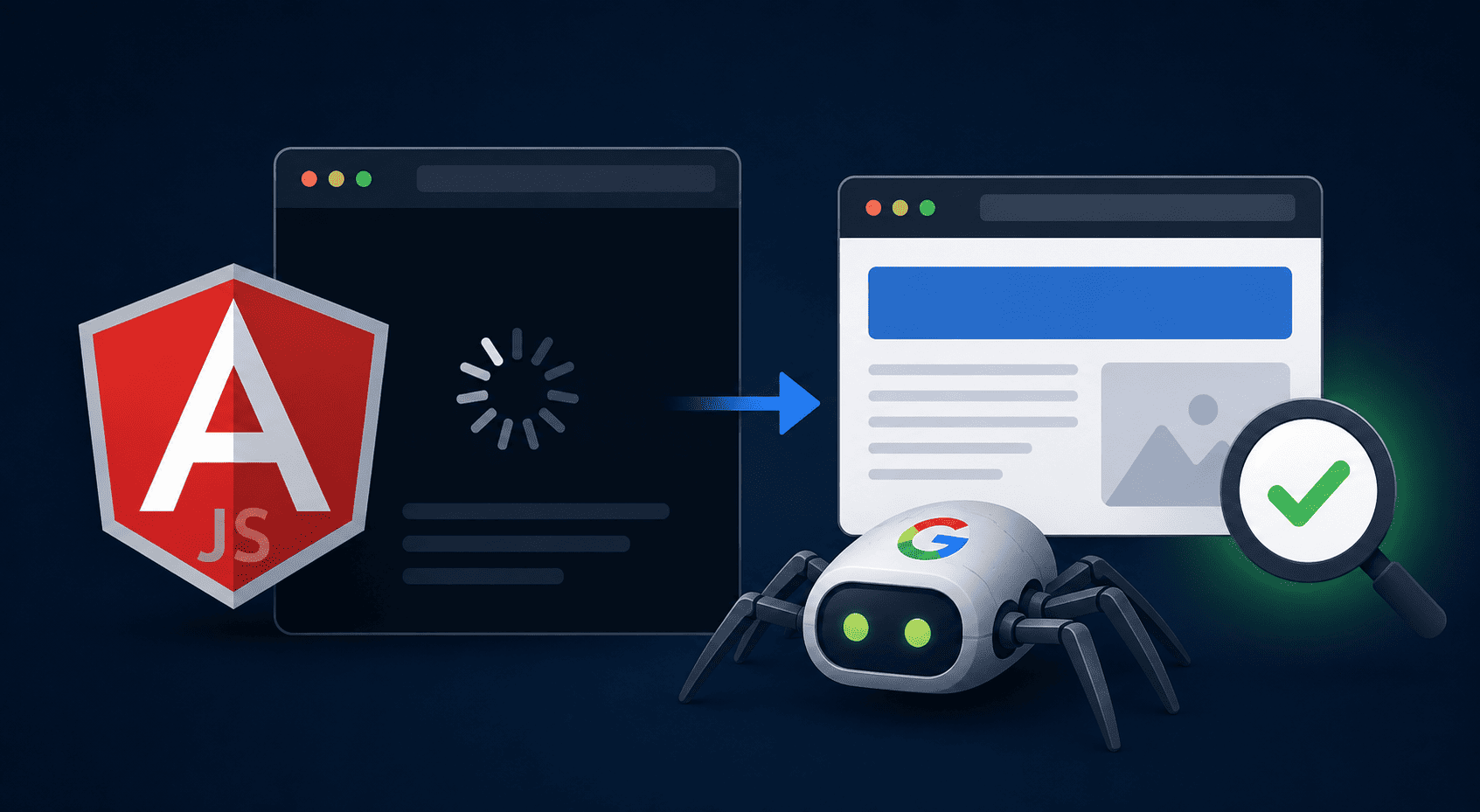
AngularJS can power a fast and functional application while still creating serious search visibility problems. The difficulty is rarely that Google “does not support JavaScript.” The real problem is that an AngularJS page often depends on several events happening in the correct order: the JavaScript bundle must download, the application must bootstrap, the router must resolve the URL, API requests must succeed, the template must compile, and the final content must appear in the DOM.
A user with a modern browser may see a perfectly normal page. A crawler, link preview bot, SEO tool, or rendering service may receive little more than an empty application shell.
That is the central issue behind Angular JS SEO. Search engines must be able to discover a stable URL, fetch it successfully, access its important resources, render its content, understand its metadata, follow its links, and receive the correct HTTP status. If one part of that chain fails, the application can look healthy in Chrome while remaining partially invisible in search.
For legacy AngularJS 1.x projects, prerendering is often the most practical short-term solution. It allows crawlers to receive complete HTML without forcing the development team to rebuild the entire application immediately. However, an AngularJS SEO prerender implementation must be treated as infrastructure, not as a switch that automatically fixes every technical SEO problem.
Key takeaways
- AngularJS and modern Angular are different frameworks with different rendering options.
- Google can render JavaScript, but depending entirely on client-side rendering introduces avoidable failure points.
- Important content, metadata, canonical tags, headings, structured data, and internal links should be available in the rendered HTML delivered to crawlers.
- Prerendering is useful for legacy AngularJS applications that cannot immediately move to server-side or static rendering.
- Dynamic rendering should normally be treated as a migration bridge rather than the final architecture.
- Testing must compare raw HTML, browser-rendered DOM, prerendered HTML, Googlebot responses, status codes, and canonical signals.
Table of contents
- What AngularJS SEO actually means
- AngularJS versus modern Angular
- Can Google index AngularJS applications?
- Common AngularJS SEO problems
- What AngularJS prerendering does
- Prerendering versus SSR, SSG, and CSR
- Step-by-step AngularJS SEO implementation
- Titles, descriptions, canonicals, and robots directives
- Internal links and AngularJS routing
- Redirects, 404 pages, and HTTP status codes
- How to test an AngularJS prerender setup
- Common implementation mistakes
- When to migrate away from AngularJS
- AngularJS SEO checklist
- Frequently asked questions
What Is AngularJS SEO?
AngularJS SEO is the technical work required to make public pages built with AngularJS crawlable, renderable, indexable, and understandable to search engines.
It includes much more than changing a title tag. A complete implementation covers:
- URL discovery;
- route architecture;
- initial HTML content;
- JavaScript rendering;
- page-level metadata;
- canonicalization;
- robots directives;
- internal linking;
- HTTP status codes;
- XML sitemaps;
- structured data;
- performance and resource accessibility;
- rendering error monitoring;
- content parity between users and crawlers.
The first check I make during an AngularJS SEO audit is not a Lighthouse score. I request the URL without executing JavaScript and inspect the response body.
It is common to find something similar to this:
<!doctype html>
<html ng-app="storeApp">
<head>
  <meta charset="utf-8">
  <title>My Application</title>
  <base href="/">
</head>
<body>
  <div ng-view></div>
  <script src="/js/app.js"></script>
</body>
</html>
A browser turns that shell into a product page, category page, article, or landing page. The server response itself contains no product name, no description, no meaningful heading, no contextual links, and no page-specific metadata.
This does not automatically mean Google will index nothing. It means Google must perform additional work before it can understand the page, and the success of that process depends on your scripts, APIs, routing rules, timeouts, resource permissions, and application stability.
You can inspect this difference with the free JavaScript SEO Checker. It compares the initial HTML response with the JavaScript-rendered DOM and highlights important elements that appear only after rendering.
AngularJS Is Not the Same as Modern Angular
Before discussing implementation, it is important to separate two technologies that are frequently mixed together in SEO articles.
Technology
Typical name
Rendering situation
SEO approach
AngularJS 1.x
AngularJS or Angular.js
Usually a legacy client-rendered SPA
Prerendering, static snapshots, custom server rendering, progressive migration
Modern Angular
Angular
Supports client, server, hybrid, and build-time rendering
Native SSR, prerendering, route-level rendering strategies, hydration
AngularJS 1.x does not gain modern Angular server-side rendering simply because both frameworks contain the word “Angular.” Angular Universal and the current Angular server-rendering packages are designed for modern Angular applications, not as a direct SSR layer for an old AngularJS application.
This distinction matters because advice such as “just enable Angular SSR” is not actionable for a legacy AngularJS codebase. In many cases, the realistic choices are:
- continue with client-side rendering and accept the risk;
- generate static HTML for a known set of public routes;
- place a prerendering service between crawlers and the application;
- build separate server-rendered landing pages;
- gradually migrate public routes to a supported framework;
- replace the frontend completely.
If you are still identifying which rendering model your application uses, read the WatchThis comparison of SSR, CSR, and static site generation.
Can Google Index AngularJS Applications?
Yes, Google can render and index many AngularJS applications. That answer is technically correct but operationally incomplete.
Google generally processes a JavaScript URL through several stages:
- The URL is discovered.
- Googlebot requests the URL.
- The initial response is parsed.
- Resources and links may be discovered from the response.
- The page may enter a rendering process.
- JavaScript is executed in a browser-like environment.
- The rendered HTML is processed for indexing.
An AngularJS page can fail at any of these stages.
For example, the URL may never be discovered because navigation uses only an ng-click handler. The URL may return a generic application shell with no links. A JavaScript file may be blocked. An API may reject the renderer. The application may wait indefinitely for an analytics request. A controller may throw an exception. The route may resolve to a client-side error page while the server continues returning 200 OK.
Google’s ability to run JavaScript should therefore be treated as a capability, not as an excuse to deliver weak initial HTML.
The safest architecture makes important pages understandable as early as possible. The headline, primary copy, main entity, page-specific metadata, canonical URL, structured data, and important links should not depend on a fragile sequence of client-side events.
For a more general explanation of this process, see the JavaScript SEO basics guide and the technical description of how raw and rendered HTML are compared.
Common AngularJS SEO Problems
1. The initial HTML is an empty application shell
This is the classic Angular JS SEO problem. The server sends one nearly identical document for every route, and AngularJS creates the real page in the browser.
From an SEO perspective, the initial response may contain:
- one generic title;
- one generic meta description;
- no page-specific H1;
- no main content;
- no product or article data;
- almost no internal links;
- no structured data.
2. Every route has the same metadata
A common workaround is to place a default title and description in index.html. This prevents completely empty metadata, but it also creates hundreds or thousands of pages with the same title.
Another variation is changing metadata through AngularJS after route navigation. That may update the browser tab, but it does not place the values in the original response. It only becomes reliable for crawlers when the rendered output is captured and served correctly.
3. Internal navigation is not crawlable
This pattern is risky:
<div ng-click="openProduct(product.id)">
  View product
</div>
A user can click it, but the element is not a conventional link with a discoverable destination.
A better implementation starts with an anchor:
<a ng-href="/products/{{ product.slug }}">
  View product
</a>
AngularJS can still intercept the navigation and preserve the SPA experience. The important difference is that the destination exists in an href attribute.
4. Hash-based routes create unstable URL behavior
Legacy AngularJS applications frequently use URLs such as:
https://example.com/#!/products/red-shoes
Older SEO implementations sometimes generated separate _escaped_fragment_ snapshots for these routes. That historical AJAX crawling scheme should not be the foundation of a current implementation.
For public pages, clean path-based URLs are normally easier to manage:
https://example.com/products/red-shoes
5. All missing routes return 200 OK
Many AngularJS servers use a catch-all rule that returns index.html for every unknown path. This is necessary for client-side routing, but it can also make nonexistent URLs return a successful response.
The browser loads the application, AngularJS displays “Page not found,” and the server still reports 200 OK. That is a soft 404.
6. Canonical tags are missing or changed after rendering
Parameter combinations, tracking URLs, alternate routes, uppercase paths, trailing-slash variations, and filter states can generate duplicate URLs. If the canonical tag is absent from the rendered output or points to the wrong route, search engines must choose a canonical without a clear signal from the site.
7. API failures create thin rendered pages
The AngularJS shell may load correctly while the data request fails for the rendering service. The resulting snapshot can contain the header, footer, loading spinner, and no primary content.
This often happens because of:
- CORS restrictions;
- bot protection;
- authentication requirements;
- IP restrictions;
- API rate limits;
- geographic restrictions;
- expired tokens;
- mixed-content requests;
- long-running network calls.
8. Rendering is captured too early
An AngularJS application may bootstrap quickly but load its meaningful content several seconds later. A prerenderer that captures the DOM too early saves an incomplete page.
The result is particularly deceptive because the integration appears to work: the crawler receives HTML, but not the HTML that matters.
9. Content requires interaction
Search crawlers should not be expected to:
- click a “Load more” button;
- open every accordion;
- submit a search form;
- scroll repeatedly to trigger essential text;
- select a tab before discovering a link;
- accept a modal before the main content loads.
Interaction can enhance the interface, but essential indexable content should not exist only behind an interaction.
The WatchThis documentation includes additional common JavaScript SEO issues that apply across AngularJS, React, Vue, and other client-rendered applications.
What Is AngularJS SEO Prerendering?
Prerendering means executing the AngularJS application in a browser environment, waiting for the route and its data to finish rendering, and saving the resulting HTML.
When a crawler requests the URL, the infrastructure returns that completed HTML instead of the original application shell.
A simplified request flow looks like this:
- A user or crawler requests
/products/red-shoes. - The CDN, reverse proxy, or application server identifies the requester.
- Regular users receive the AngularJS application.
- Selected crawlers receive cached rendered HTML.
- The rendered HTML contains the product title, description, links, metadata, canonical tag, and structured data.
The prerenderer does not need to be installed inside AngularJS itself. It normally integrates with the layer that handles incoming requests:
- CDN;
- edge worker;
- Nginx;
- Apache;
- Node.js or Express;
- reverse proxy;
- application server.
This is why the backend and hosting architecture matter more than the frontend framework when selecting an integration method.
Prerendering is not the same as static site generation
The term “prerendering” is used for two different processes:
- Build-time prerendering: HTML files are generated during deployment for a known list of routes.
- On-demand or crawler-focused prerendering: A rendering service creates or retrieves HTML when a crawler requests a route.
Build-time generation is ideal when routes are known and content changes on a predictable schedule. On-demand rendering is easier to add to a legacy application with many dynamic routes, but it introduces crawler detection, caching, invalidation, and content-parity requirements.
AngularJS Prerendering vs. SSR, SSG, and Client-Side Rendering
Approach
How HTML is generated
Best use case
Main limitation
Client-side rendering
In the user’s browser
Private dashboards and internal applications
Public content depends on JavaScript execution
Static prerendering
Before deployment or after publishing
Marketing pages, documentation, articles, stable directories
Large route sets can increase build and publishing time
Server-side rendering
On the server for each request
Frequently changing public content
Legacy AngularJS has no simple native SSR path
Dynamic rendering
Rendered HTML is served selectively to crawlers
Legacy applications that cannot migrate immediately
Creates an additional rendering and caching layer
Separate SEO frontend
Public pages use another framework or server templates
Large applications with clear public/private separation
Two frontend systems must be maintained during migration
When client-side rendering is acceptable
Client-side rendering is usually acceptable for URLs that should not appear in search:
- account dashboards;
- admin panels;
- checkout steps;
- private reports;
- authenticated tools;
- user-specific application states.
There is little SEO value in prerendering a private dashboard. Those routes should instead have clear authentication behavior and appropriate indexing controls.
When static prerendering is the better choice
Use static output when pages are public, predictable, and mostly identical for every visitor:
- company pages;
- service landing pages;
- help documentation;
- blog posts;
- location pages;
- category introductions;
- evergreen product information.
When dynamic rendering is defensible
Dynamic rendering can be a practical bridge when:
- the AngularJS application is business-critical;
- a full migration cannot happen immediately;
- important URLs currently return weak HTML;
- organic visibility is being lost;
- the team has access to the CDN or web server;
- content parity can be monitored;
- the implementation has a clear owner.
It should not become a reason to postpone modernization indefinitely. It adds another service, another cache, another source of debugging complexity, and another place where users and crawlers can receive inconsistent content.
How to Implement AngularJS SEO Prerendering
Step 1: Define which routes should be indexed
Do not send every application URL into a rendering service. Start by creating a route inventory.
Classify routes into four groups:
- Indexable: unique public pages that should appear in search.
- Public but non-indexable: filter states, internal search results, duplicate variations, and utility pages.
- Private: account, billing, administration, and user-specific routes.
- Nonexistent: URLs that must return 404 or 410.
For each indexable route, record:
- preferred URL;
- route pattern;
- content source;
- title template;
- meta description logic;
- canonical behavior;
- robots directive;
- expected HTTP status;
- structured data type;
- cache refresh trigger;
- language and regional variants.
This inventory becomes the technical specification for both development and QA.
Step 2: Replace hash routes with clean URLs where practical
An AngularJS application commonly enables clean paths with $locationProvider.html5Mode().
angular
  .module('storeApp')
  .config(function ($locationProvider, $routeProvider) {
    $locationProvider.html5Mode({
      enabled: true,
      requireBase: true,
      rewriteLinks: true
    });

    $routeProvider
      .when('/products/:slug', {
        templateUrl: '/templates/product.html',
        controller: 'ProductController'
      })
      .when('/categories/:slug', {
        templateUrl: '/templates/category.html',
        controller: 'CategoryController'
      })
      .otherwise({
        templateUrl: '/templates/404.html',
        controller: 'NotFoundController'
      });
  });
The document should also contain an appropriate base element:
<base href="/">
Enabling HTML5 mode is only half of the work. The server must know that application routes should load the AngularJS entry document. Otherwise, directly opening /products/red-shoes may return a server-level 404 even though client-side navigation works.
Step 3: Configure route fallback carefully
A typical SPA fallback sends application routes to index.html. Static assets and API URLs must not be rewritten to the application document.
A conceptual rule looks like this:
Request for an existing file:
    Serve the file

Request for /api/*:
    Send to the API

Request for a known application route:
    Serve index.html

Request for a nonexistent public route:
    Return a real 404 response
The last line is where many AngularJS applications fail. A blanket fallback is convenient, but it makes every random URL appear successful. The server, prerender layer, or application must eventually distinguish valid routes from invalid ones.
Step 4: Integrate the prerenderer at the correct layer
The preferred integration point is generally the earliest infrastructure layer where crawler requests can be handled consistently.
A common order of preference is:
- CDN or edge worker;
- reverse proxy;
- Nginx or Apache;
- Node.js or application middleware.
Integrating at the edge can prevent a CDN cache from returning the raw application shell before the crawler request reaches the origin-side prerender middleware.
For an Express application, the integration pattern may look like this:
const express = require('express');
const prerender = require('prerender-node');
const path = require('path');

const app = express();

app.use(
  prerender.set(
    'prerenderToken',
    process.env.PRERENDER_TOKEN
  )
);

app.use(express.static(path.join(__dirname, 'public')));

app.get('*', function (request, response) {
  response.sendFile(
    path.join(__dirname, 'public', 'index.html')
  );
});

app.listen(process.env.PORT || 3000);
This example is intentionally simple. A production implementation also needs route filtering, query-parameter rules, bot verification, security controls, cache policy, logging, and correct handling for redirects and missing URLs.
Step 5: Tell the renderer when the page is ready
AngularJS applications frequently fetch data asynchronously. The prerenderer must not capture the page while a loading indicator is still visible.
Some rendering services support a readiness flag such as window.prerenderReady. It should be set to false before application rendering begins:
<script>
  window.prerenderReady = false;
</script>
Set it to true only after the essential content and metadata have been added to the DOM:
angular
  .module('storeApp')
  .controller('ProductController', function (
    $scope,
    $routeParams,
    ProductService,
    SeoService
  ) {
    window.prerenderReady = false;

    ProductService
      .getBySlug($routeParams.slug)
      .then(function (product) {
        $scope.product = product;

        SeoService.setPage({
          title: product.name + ' | Example Store',
          description: product.shortDescription,
          canonical: 'https://example.com/products/' + product.slug
        });
      })
      .catch(function () {
        $scope.notFound = true;
      })
      .finally(function () {
        window.prerenderReady = true;
      });
  });
Do not replace this with a fixed timer such as “wait five seconds.” Timers hide race conditions and fail whenever the API is slower than expected. The ready signal should be connected to the completion of the data and metadata required for the page.
Step 6: Generate complete page-level metadata
Every indexable route should have a unique and accurate:
<title>;- meta description;
- canonical URL;
- robots directive;
- Open Graph title;
- Open Graph description;
- Open Graph URL;
- Open Graph image, when relevant;
- Twitter Card metadata, when relevant.
A simplified AngularJS metadata service can update existing elements and create missing ones:
angular
  .module('storeApp')
  .factory('SeoService', function ($document) {
    var documentElement = $document[0];

    function setMeta(name, content) {
      var selector = 'meta[name="' + name + '"]';
      var element = documentElement.head.querySelector(selector);

      if (!element) {
        element = documentElement.createElement('meta');
        element.setAttribute('name', name);
        documentElement.head.appendChild(element);
      }

      element.setAttribute('content', content);
    }

    function setProperty(property, content) {
      var selector = 'meta[property="' + property + '"]';
      var element = documentElement.head.querySelector(selector);

      if (!element) {
        element = documentElement.createElement('meta');
        element.setAttribute('property', property);
        documentElement.head.appendChild(element);
      }

      element.setAttribute('content', content);
    }

    function setCanonical(url) {
      var element = documentElement.head.querySelector(
        'link[rel="canonical"]'
      );

      if (!element) {
        element = documentElement.createElement('link');
        element.setAttribute('rel', 'canonical');
        documentElement.head.appendChild(element);
      }

      element.setAttribute('href', url);
    }

    return {
      setPage: function (page) {
        documentElement.title = page.title;

        setMeta('description', page.description);
        setMeta('robots', page.robots || 'index,follow');
        setCanonical(page.canonical);

        setProperty('og:title', page.title);
        setProperty('og:description', page.description);
        setProperty('og:url', page.canonical);
        setProperty('og:type', page.ogType || 'website');
      }
    };
  });
This service updates the browser DOM. It does not solve initial HTML by itself. Its values become useful to non-JavaScript crawlers only when the complete DOM is prerendered and delivered as HTML.
Step 7: Render the primary content, not only metadata
I have reviewed implementations where the prerendered title was correct but the body remained empty. That is not a complete fix.
The rendered document should contain:
- the primary H1;
- introductory copy;
- main product, service, article, or category information;
- important entity attributes;
- breadcrumbs;
- related internal links;
- image elements and alt text;
- structured data;
- visible error messages when the route is invalid.
Use the WatchThis results documentation to understand why differences in headings, word count, internal links, metadata, and structured data matter.
Step 8: Keep crawler and user content equivalent
The rendered version does not need to contain every interactive behavior of the browser application. It does need to represent the same primary content and purpose.
Do not create a keyword-heavy “SEO version” for bots while showing a thin or unrelated page to users. The prerendered document should be a static representation of the same route.
Acceptable differences may include:
- interactive controls that require a browser;
- animations;
- personalized account widgets;
- nonessential third-party scripts;
- live chat;
- analytics code;
- elements that only make sense after user interaction.
The main text, products, prices, availability statements, links, metadata, and structured data should remain consistent.
Step 9: Define cache and invalidation rules
A cached rendered page can become stale even when the AngularJS application displays fresh API data to users.
Define what should trigger a refresh:
- product updates;
- price changes;
- inventory changes;
- article publishing;
- content editing;
- URL changes;
- redirect creation;
- page deletion;
- metadata updates;
- structured data changes.
For frequently updated content, connect cache invalidation to the publishing workflow instead of relying only on a long expiration period.
Also decide which query parameters should not create separate cached pages. Tracking parameters such as utm_source, utm_medium, gclid, and fbclid normally should not generate unique prerender entries.
AngularJS Titles, Meta Descriptions, Canonicals, and Robots Tags
Title tags
Each indexable route should produce one descriptive title that reflects the actual page. Avoid using the same default application title across every URL.
A scalable product template might be:
{{ Product Name }} – {{ Primary Attribute }} | {{ Brand }}
A category template might be:
{{ Category Name }} Products | {{ Brand }}
Templates should not create awkward repetition. A product already containing the brand name may need a different rule.
Meta descriptions
Descriptions should summarize the route rather than repeat a generic company statement. They do not need to be generated for every low-value filter state because many of those states should not be indexed in the first place.
Canonical URLs
Use one self-referencing canonical for each primary indexable page:
<link
  rel="canonical"
  href="https://example.com/products/red-shoes"
>
Canonical logic must account for:
- HTTP versus HTTPS;
- www versus non-www;
- uppercase versus lowercase paths;
- trailing slash rules;
- tracking parameters;
- sorting parameters;
- filter parameters;
- pagination;
- legacy routes;
- language variants.
Do not canonicalize every route to the homepage. A canonical is not a replacement for redirects, noindex directives, or correct status codes.
Robots directives
Indexable pages usually need:
<meta name="robots" content="index,follow">
Non-indexable public states may use:
<meta name="robots" content="noindex,follow">
Be careful when changing robots directives through JavaScript. A prerendered cache can preserve an old noindex value after the live application has been changed. Robots metadata should be included in cache invalidation and release testing.
Internal Links and AngularJS Routing
Internal linking is one of the most underestimated AngularJS SEO problems. A route can be perfectly renderable and still remain difficult to discover if no crawlable links point to it.
Use real anchors
Preferred:
<a ng-href="/guides/{{ guide.slug }}">
  Read the guide
</a>
Risky:
<button ng-click="goToGuide(guide.slug)">
  Read the guide
</button>
The button can remain for actions. Navigation should normally be represented by an anchor with an href.
Render important links in HTML
Primary navigation, breadcrumbs, category links, pagination, related content, and contextual body links should be present in the prerendered document.
Do not assume an XML sitemap replaces internal linking. A sitemap helps search engines discover URLs, while internal links explain hierarchy, relationships, and relative importance.
Avoid fragment-only content states
A URL fragment is not sent to the server in the same way as the path and query string. Do not use fragments as the primary identifier for separate pages that should rank independently.
Instead of:
/products#red-shoes
Use a resolvable URL:
/products/red-shoes
Control filter and faceted URLs
AngularJS interfaces can generate almost unlimited combinations:
/shoes?color=red&size=10&sort=price&view=grid
Decide which combinations deserve indexable landing pages. The rest should be handled through a combination of:
- canonical tags;
- robots directives;
- link controls;
- parameter normalization;
- prerender ignore rules;
- sitemap exclusions.
Redirects, 404 Pages, and Status Codes in AngularJS
HTTP status codes are determined before client-side JavaScript normally runs. That creates a structural problem for SPAs: the server may return 200 OK before AngularJS discovers that a product, article, or user profile does not exist.
Handle missing pages at the server when possible
The strongest solution is for the server or rendering layer to know whether a route exists and return:
200for a valid page;301for a permanent redirect;302or307for an appropriate temporary redirect;404for missing content;410for deliberately removed content where that distinction is useful.
Control prerendered status codes
Some prerendering services recognize special metadata that changes the response returned to crawlers.
For a missing route:
<meta
  name="prerender-status-code"
  content="404"
>
For a redirect, the exact implementation depends on the service and integration. Whenever possible, create redirects at the server or CDN rather than depending on a client-side AngularJS redirect.
Avoid redirecting every missing page to the homepage
This creates confusing behavior for users and weak error signals for crawlers. A removed product should either redirect to a genuinely equivalent replacement or return a proper not-found response.
Test the response, not only the visible message
Seeing “404” on the screen does not mean the URL returns a 404 status. Check it directly:
curl -I https://example.com/nonexistent-page
Then repeat the request using the crawler user agent handled by your prerender integration.
XML Sitemaps for AngularJS Applications
An AngularJS frontend does not remove the need for a server-generated XML sitemap.
The sitemap should contain only URLs that are:
- canonical;
- indexable;
- publicly accessible;
- expected to return 200;
- useful as standalone search results.
Do not generate the sitemap by crawling only the empty AngularJS shell. Generate it from the source of truth: database records, CMS entries, route configuration, product feeds, or publishing data.
Exclude:
- tracking URLs;
- internal search pages;
- private routes;
- noindex routes;
- redirected URLs;
- 404 pages;
- duplicate filter combinations;
- noncanonical protocol or hostname variations.
A useful practice is to use the sitemap as a prerender warming list. When a page is published or updated, request a fresh rendered version before waiting for a crawler to discover a cold cache entry.
Structured Data in AngularJS
JSON-LD can be created through AngularJS, but it must be present in the final HTML delivered to crawlers.
For example, a product route may generate:
<script type="application/ld+json">
{
  "@context": "https://schema.org",
  "@type": "Product",
  "name": "Red Running Shoes",
  "description": "Lightweight running shoes for daily training",
  "image": [
    "https://example.com/images/red-running-shoes.jpg"
  ],
  "sku": "RUN-RED-01",
  "offers": {
    "@type": "Offer",
    "url": "https://example.com/products/red-running-shoes",
    "priceCurrency": "USD",
    "price": "89.00",
    "availability": "https://schema.org/InStock"
  }
}
</script>
The structured data must match the visible page. Do not show one price to the user and another in JSON-LD. Do not mark up reviews, ratings, inventory, or authorship that the user cannot verify on the page.
When comparing raw and rendered HTML, pay attention to whether JSON-LD:
- is absent from the raw response;
- appears before the route data is ready;
- contains placeholder values;
- remains from the previously visited SPA route;
- contains duplicated entities after client-side navigation.
Performance Considerations
Prerendering can make crawler responses faster and more complete, but it does not automatically fix the experience of real users.
The AngularJS application may still ship:
- a large JavaScript bundle;
- unused dependencies;
- render-blocking third-party scripts;
- slow API waterfalls;
- unoptimized images;
- long main-thread tasks;
- expensive watchers;
- repeated digest cycles;
- layout shifts after data arrives.
Treat user performance and crawler rendering as connected but separate workstreams.
Practical improvements include:
- splitting public and private application bundles where possible;
- removing unused AngularJS modules;
- limiting third-party scripts;
- compressing and caching static assets;
- preloading only critical resources;
- adding explicit image dimensions;
- serving responsive images;
- reducing API dependency chains;
- avoiding constant background network requests;
- using a CDN for static resources.
A page that never reaches a stable network state can also confuse automated rendering systems. Analytics polling, chat widgets, real-time connections, and advertising scripts should not prevent the application from signaling that its essential content is ready.
How to Test AngularJS SEO and Prerendering
Testing only the browser view is not enough. A complete QA process uses several perspectives.
1. Inspect raw HTML
curl -L https://example.com/products/red-shoes
Check whether the response contains:
- the correct title;
- the correct description;
- canonical URL;
- robots directive;
- H1;
- primary text;
- internal links;
- structured data.
2. Request the crawler response
curl -L \
  -A "Googlebot" \
  https://example.com/products/red-shoes
Confirm that the response contains the rendered page and not the original application shell.
3. Compare raw and rendered versions
Run the URL through the WatchThis JavaScript SEO Checker. Look for differences in:
- title;
- meta description;
- canonical;
- robots tags;
- H1 count;
- word count;
- internal link count;
- structured data;
- images and alt attributes.
The getting started guide explains how to run and interpret the first test.
4. Test with JavaScript disabled
This is not a perfect Googlebot simulation. It is a useful diagnostic step. If disabling JavaScript removes every meaningful element, the page depends entirely on client rendering.
5. Inspect browser console and network requests
Look for:
- uncaught exceptions;
- failed API calls;
- CORS errors;
- blocked scripts;
- mixed content;
- 401, 403, 404, and 500 responses;
- requests that never finish;
- resources blocked by bot protection.
6. Use Google Search Console URL Inspection
Test representative URLs from every important route template. Compare the rendered screenshot and HTML with the page seen by a regular user.
For a structured diagnostic workflow, use the WatchThis guide to debug Googlebot rendering issues.
7. Test status codes independently
Create a test set containing:
- a normal indexable page;
- a redirected page;
- a missing product;
- a random path;
- a noindex filter page;
- a blocked private page;
- a canonical parameter variation.
Check both normal and crawler responses for every URL.
8. Test cache freshness
Change a title, price, description, or availability value. Record how long it takes for the prerendered HTML to update.
A cache that cannot be refreshed reliably is an indexing risk, especially for ecommerce, listings, news, and frequently edited documentation.
Common AngularJS SEO Prerender Mistakes
Routing every bot request through the renderer
Static assets, API endpoints, files, tracking URLs, and private routes should not consume rendering resources.
Ignoring query parameters
Without parameter controls, the renderer may cache thousands of duplicate URLs created by analytics tags, filters, sorting options, session values, or campaign identifiers.
Capturing loading states
The snapshot contains a spinner, skeleton screen, or “Loading…” message because the renderer did not wait for the final API response.
Updating only the title
Search visibility depends on the page body, links, canonical signals, status codes, and content quality—not only the browser title.
Using prerendering to hide broken routing
A rendering service cannot compensate for inconsistent URLs, redirect chains, duplicate states, incorrect canonicals, or a server that reports every page as successful.
Serving materially different content to crawlers
The prerendered page should represent the same route and primary information as the user-facing application.
Forgetting non-Google crawlers
Search engines, social preview bots, SEO tools, and AI crawlers do not all execute JavaScript in the same way. Decide deliberately which user agents require rendered HTML and keep the detection list maintained.
Placing the integration behind an interfering CDN cache
If the CDN returns a cached AngularJS shell before the request reaches the origin, the prerender middleware never runs. Verify the complete request path from crawler to edge, origin, renderer, and cache.
Never testing after deployment
Rendering can break when:
- a CDN rule changes;
- an API introduces authentication;
- a certificate expires;
- a route template changes;
- a third-party script fails;
- a robots rule blocks a resource;
- the prerender cache becomes stale;
- a deployment changes environment variables.
Monitoring should be continuous, not limited to the launch date.
When Should You Migrate Away from AngularJS?
Prerendering can protect organic visibility, but it does not solve the broader maintenance risk of an unsupported frontend framework.
A migration should become a priority when:
- public organic landing pages drive significant revenue;
- developers struggle to maintain old dependencies;
- security updates require custom work;
- the rendering service has become expensive;
- crawler and user versions frequently diverge;
- new features require increasingly complex workarounds;
- performance improvements are limited by the old architecture;
- the team can no longer test the application confidently.
A practical incremental migration
A full rewrite is not always the safest first move. A route-by-route migration can reduce risk:
- Separate indexable public routes from the authenticated application.
- Move the highest-value landing pages first.
- Preserve existing URLs wherever possible.
- Generate server-rendered or static HTML in the new frontend.
- Keep APIs and backend services unchanged initially.
- Move category and detail templates in controlled groups.
- Test canonicals, redirects, metadata, structured data, and status codes.
- Monitor crawling, indexing, traffic, and conversions after each release.
- Remove prerender rules only after the replacement output is verified.
This strangler-style approach allows the new frontend to replace AngularJS gradually. It also prevents a high-risk launch where routing, content, design, analytics, and SEO change on the same day.
Preserve SEO signals during migration
For every migrated route:
- keep the same canonical URL when possible;
- use direct 301 redirects when the URL must change;
- preserve important content and headings;
- retain internal links;
- carry over structured data;
- return accurate status codes;
- avoid redirect chains;
- update XML sitemaps;
- remove obsolete prerender cache entries.
AngularJS SEO Audit Checklist
Area
Check
Expected result
Rendering
Compare raw HTML and rendered DOM
Important content is available in crawler HTML
URLs
Open every route directly
Clean, stable, resolvable URLs
Routing
Review HTML5 mode and server fallback
Valid routes load; invalid routes return 404
Titles
Test route templates
Unique and descriptive titles
Descriptions
Inspect rendered head
Relevant page-level descriptions
Canonicals
Check protocol, host, path, and parameters
One accurate canonical per indexable page
Robots
Compare raw, rendered, and cached directives
No accidental noindex values
Links
Inspect anchors in rendered HTML
Important destinations use crawlable href links
Status codes
Test valid, redirected, and missing routes
Correct 200, 3xx, 404, or 410 responses
Sitemaps
Validate sitemap URLs
Only canonical, indexable 200 URLs
Structured data
Compare markup with visible content
Valid, complete, and consistent entities
Resources
Review console and network failures
No blocked critical JavaScript, CSS, API, or image requests
Readiness
Inspect rendered snapshots
No loading screens or incomplete API data
Cache
Update a page and measure refresh time
Predictable invalidation and recaching
Parity
Compare crawler and user versions
Same primary content and purpose
Monitoring
Retest representative templates
Rendering regressions are detected after releases
Frequently Asked Questions About AngularJS SEO
Is AngularJS bad for SEO?
AngularJS is not automatically bad for SEO. The risk comes from relying entirely on client-side rendering for public content. An AngularJS application can be indexed when its routes are discoverable, resources are accessible, JavaScript executes successfully, metadata is correct, and the final content is available to crawlers. Prerendering reduces the number of conditions that must succeed during crawling.
Can Google index AngularJS without prerendering?
Google can render many AngularJS pages without a separate prerender service. However, rendering can fail or produce incomplete output because of JavaScript errors, blocked files, slow APIs, routing problems, authentication, timeouts, or content that requires interaction. Important commercial pages should not depend on best-case rendering behavior when a more reliable HTML solution is available.
What does “AngularJS SEO prerender” mean?
AngularJS SEO prerender refers to executing an AngularJS route in a browser-like renderer, capturing the completed DOM as HTML, caching it, and serving that HTML to search engine crawlers or other bots that need a readable document.
Is prerendering considered cloaking?
Prerendering should represent the same primary content shown to users. It becomes risky when crawlers receive materially different text, offers, links, or page intent. A static representation of the same AngularJS route is different from creating a separate keyword-stuffed version exclusively for bots.
Can Angular Universal be added to AngularJS 1.x?
Angular Universal and current Angular server-rendering features are intended for modern Angular, not as a direct rendering package for legacy AngularJS 1.x. An AngularJS project normally needs an external prerenderer, custom rendering architecture, static snapshots, separate public frontend, or framework migration.
Should all AngularJS routes be prerendered?
No. Prerender public routes that have search value. Private dashboards, checkout steps, account pages, admin tools, duplicate filter states, and other non-indexable routes should normally be excluded.
How do I know whether prerendering works?
Request the page with a crawler user agent, inspect the returned source, and compare it with the browser-rendered page. Verify the title, description, canonical, robots tag, H1, body content, internal links, structured data, and status code. You can also use WatchThis to compare the raw response with the rendered DOM.
Does prerendering improve rankings?
Prerendering does not create relevance, authority, helpful content, or backlinks. It removes technical barriers that can prevent search systems from accessing and understanding the content already present on the page. Rankings still depend on search intent, content quality, competition, internal architecture, external signals, and user value.
Is prerendering a permanent solution?
It can remain operational for a long time when it is monitored and maintained, but it adds infrastructure and does not solve AngularJS end-of-life concerns. For a business-critical public website, the stronger long-term direction is usually a supported framework with native server-side, static, or hybrid rendering.
Final Recommendations
The most reliable AngularJS SEO strategy is not to hope that every crawler will execute the application perfectly. Start by making indexable routes explicit, clean up URL behavior, use crawlable anchors, generate page-specific metadata, return accurate status codes, control duplicate parameters, and ensure that the primary content appears in the HTML delivered to crawlers.
For a legacy application, prerendering can be an effective bridge. It provides complete HTML while the existing AngularJS interface remains available to users. The implementation must still include readiness signals, cache invalidation, route filtering, crawler testing, content parity, and ongoing monitoring.
The first practical step is to test representative page templates—not only the homepage. Run one product, one category, one article, one parameter variation, one redirect, and one nonexistent URL through the WatchThis JavaScript SEO Checker. Then use the complete WatchThis documentation to prioritize differences between the initial response and the rendered DOM.
A successful AngularJS SEO project is not measured by whether a prerender service returns some HTML. It is measured by whether every important URL consistently returns the correct content, links, metadata, canonical signals, and status code to both users and search systems.