WatchThis dev: what the original site did before 2026
Looking for a WatchThis dev download? Discover the original AI movie recommendation site and learn how its new JavaScript SEO checker works.
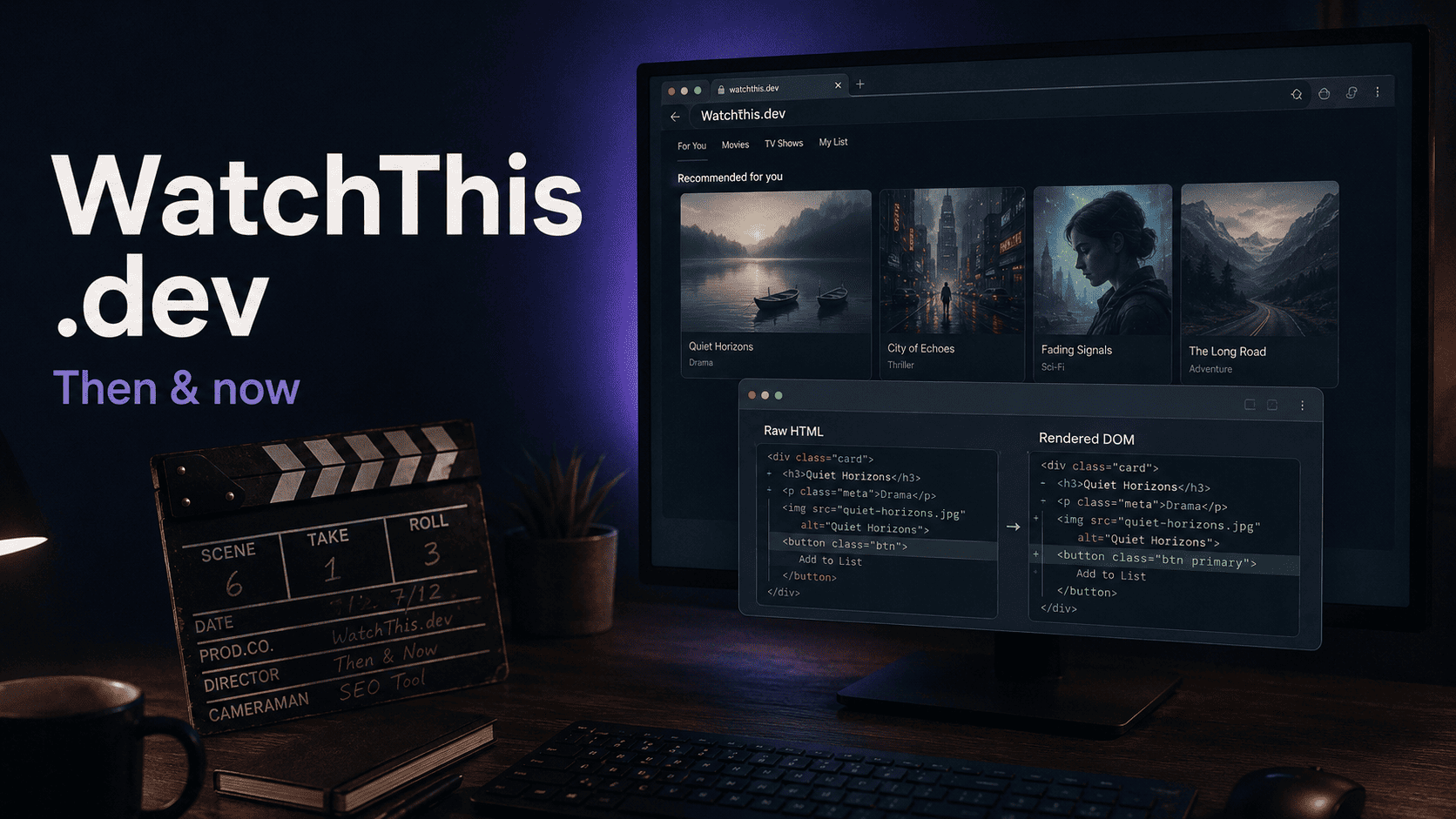
By Lev Gen · September 2, 2026
WatchThis.dev originally helped people choose a movie or TV show with AI-generated recommendations. You entered your preferences, and it suggested five things to watch. Today, the domain serves a different audience: SEO specialists and developers checking how JavaScript changes a web page.
That change explains why searching for "watchthis dev" can get confusing. Older reviews describe an entertainment app, while the website you open now talks about HTML and indexing. If you searched for "watchthis dev download," there's another detail to clear up: the original service ran in a browser. Its documented job was recommending titles; it didn't provide movie downloads.
What was the original WatchThis.dev?
The idea was easy to understand. You're ready to watch something, but choosing it starts eating into the evening. Another row of posters. Another trailer. Still nothing.
WatchThis.dev gave you a smaller set of suggestions based on what you wanted at that moment. Its creator was Stephanie Dietz, also known as Steph Dietz. In a February 21, 2023 community update, Vercel highlighted her app and described it as a SvelteKit project powered by OpenAI. Vercel also linked to a template people could use to build their own version.
So this was a real developer project with a public history. The watch-this repository documents the original approach: turn a visitor's input into five cinema recommendations and stream the answer back to the app.
How the movie and TV recommendations worked
You started by choosing whether you wanted a movie or a TV show; you could also leave that choice open. Then you selected categories and added any extra preferences. Historical descriptions list genres such as action and animation, alongside a field for more specific requests. The old WatchThis.dev listing records that basic interface.
Imagine asking for a comedy that's easy to follow after a long day, or a science-fiction movie without much horror. Those are examples of the kind of preference you could express, not results from a test. The appeal was being able to explain what you felt like watching in ordinary language.
Five options gave you somewhere to start.
The original README names OpenAI's GPT-3 API and Vercel Edge Functions. A later version of the recommendation endpoint uses gpt-3.5-turbo, so the implementation changed over time. Describing every version as exactly the same GPT-3 app would miss that detail.
The code also includes an OMDb lookup that requests information about a title. That supported the discovery experience by fetching movie details.
Would every suggestion suit you? Taste doesn't work that way. A recommendation gives you a candidate to consider; you still decide whether you want to spend your evening with it. That's a useful job for a small app, even without pretending it knows you perfectly.
WatchThis dev download: what could you actually download?
The word "download" needs some context here. A listing on Usitility uses the heading "WatchThis.dev Download", but also describes a web app and offers a website link. A directory heading alone doesn't establish that an official installer existed.
For the original project, these are the distinctions that matter:
What you're looking for
What the project provided
Access to the recommendation tool
A browser-based web application.
Source code to inspect or adapt
A public GitHub repository with local development instructions.
An official Android, iPhone, or desktop app
The original project sources reviewed here don't establish a separate official app download.
Movie files or full TV episodes
The documented service generated recommendations and retrieved title information.
Developers can get the historical source from GitHub. Running it is a separate job: the README describes an API key setup, and the later code introduces additional service dependencies. Treat it as an older project that needs a technical review before deployment. Downloading the files doesn't make the original hosted experience reappear.
Was WatchThis.dev free?
Historical directories listed the recommendation website as free. That didn't mean unlimited use. The later public endpoint includes a limit of five requests per day for each tracked IP address.
That distinction matters if you're remembering the app as something you could keep querying all evening. The code shows a cap. And if you run your own copy, access to the source doesn't cover the services your copy depends on.
Why do old reviews describe a different website?
A review describes the product its author saw at the time. It doesn't automatically change when the domain gets a new purpose.
WatchThis.dev still has directory entries describing its entertainment features. Those pages help explain its history, but the current domain's function has to be checked on the current website. The original creator's repository and the present-day SEO project should also be treated separately; a shared domain history doesn't establish that the same people built both.
If you came here looking for something to watch, our guide to AI tools for finding movies and TV shows compares dedicated recommendation apps with conversational assistants. It's a useful starting point if you liked the idea behind the original WatchThis.dev and want another way to get personalized suggestions.
What WatchThis.dev does now for SEO specialists
As of September 2, 2026, WatchThis.dev presents itself as a free JavaScript SEO tool. Its current description gets straight to the point:
Compare raw HTML with the rendered DOM and discover JavaScript SEO issues before they affect indexing.
Raw HTML is the response a server sends before the browser runs the page's JavaScript. The rendered DOM is the document structure after the browser has processed the page and its scripts. Comparing them helps you see which important elements depend on JavaScript, or change when it executes.
The WatchThis documentation describes checks for page titles and meta descriptions, canonical URLs, headings, internal links, and structured data. Its homepage also lists JavaScript errors and HTTP redirect chains among the issues it examines.
Suppose a product description appears on screen but is missing from the initial HTML. That gives an SEO specialist a specific dependency to investigate. Or suppose JavaScript changes a page's canonical URL. Now there's a concrete discrepancy to take to the developer.
Check the difference before guessing at the cause.
Google can render JavaScript, and content added by JavaScript can be indexed. Google's JavaScript SEO documentation explains how this works. A difference between raw HTML and the rendered page therefore needs interpretation; it doesn't automatically prove an indexing failure. For Google-specific diagnosis, follow up with Search Console's URL Inspection tool.
WatchThis gives you a way to investigate rendering behavior. Its report isn't proof of what Google has indexed, and it can't promise rankings. The practical value is finding a problem you can reproduce and fix.
Could the original WatchThis.dev features return?
The developers of the current WatchThis.dev project may bring back the old movie and TV recommendation functionality, but they aren't rushing that decision. For now, their focus is the SEO tool; a return of the entertainment features remains a possibility rather than a scheduled release.
If you remember WatchThis.dev as a way to choose what to watch, that history is real. Today, its job is helping SEO specialists compare raw HTML with the rendered DOM and catch JavaScript SEO issues before they affect indexing. There's room for the earlier idea to return when the team is ready to give it proper attention.